Puppertino Glass: How we implemented liquid glass for UI components and surfaces
Apple's Liquid Glass has no native version on the web. Puppertino ships two: a faux lens for switches and sliders that works everywhere with no library, and real-time refraction for bars, buttons and panels in Safari, Chrome, Firefox and Edge. Here is how each one is built and when to use which.
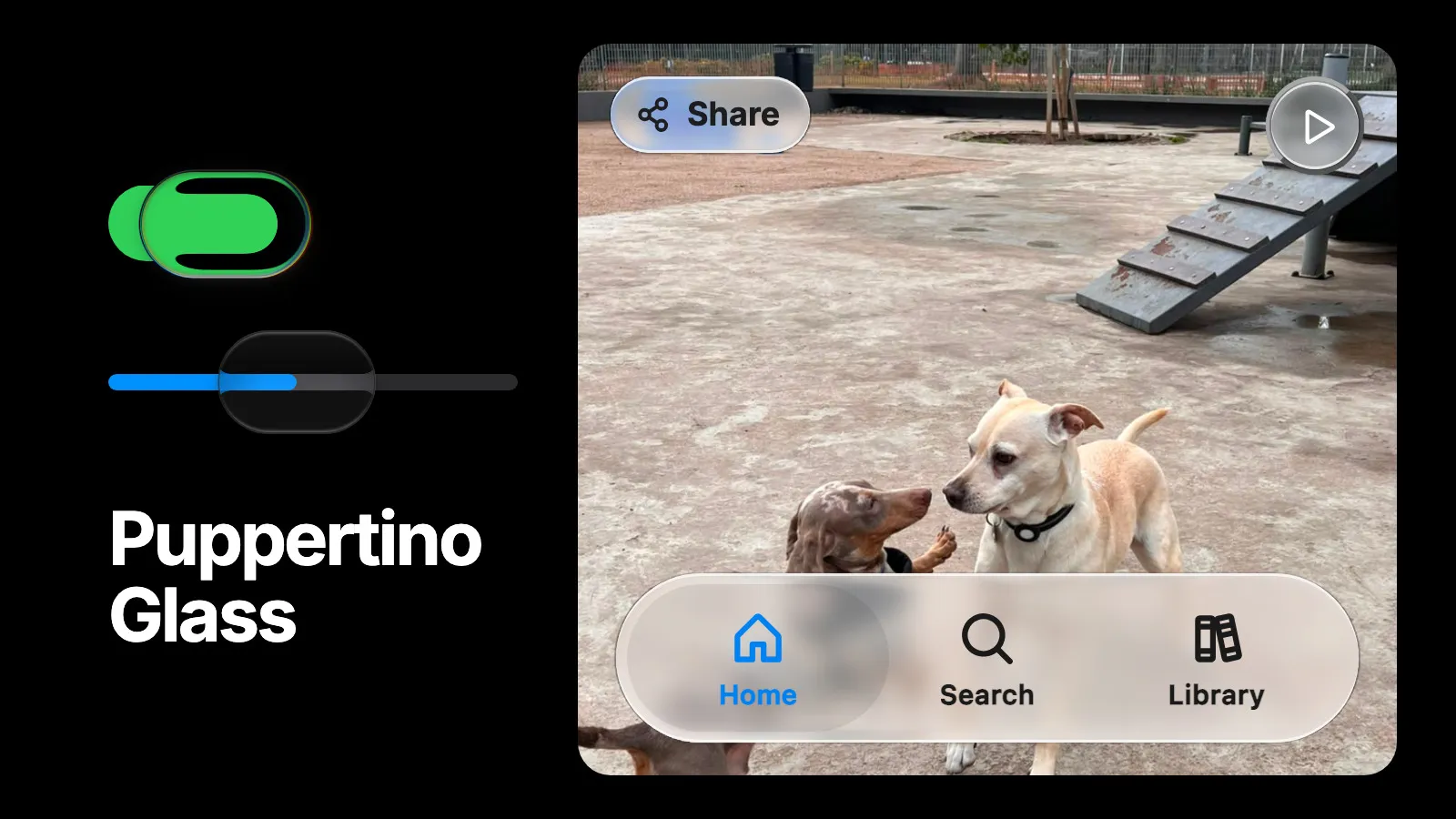
Apple’s Liquid Glass bends the content behind a surface. The web has no primitive for that. backdrop-filter can blur and tint what sits behind an element, but it cannot bend it, and the one way to make it bend only renders in Chromium.
So Puppertino ships two implementations and picks between them by what the glass sits on. A control that owns its own backdrop gets a faux lens. A surface that floats over the page gets real-time refraction. Both come from the same question: what is behind the glass, and does the component know?
The three ways to bend a page
Every web version of Liquid Glass bends pixels with a displacement map. What differs is where the map runs, and that decides which browsers keep the effect.
| Approach | How it works | Support |
|---|---|---|
backdrop-filter: url(#filter) | An SVG feDisplacementMap bends the page behind the element. No copies of the content. | Chromium only. Safari and Firefox drop the declaration and the refraction disappears. |
A plain filter on content the component owns | The same primitive, applied to a layer the component renders itself, like a copy of a track fill. The page behind is untouched. | Every modern engine. |
| Capture the DOM, refract it in WebGL | A library snapshots the page, uploads it as a texture, and a shader does the refraction, chromatic aberration and specular highlights. | Every WebGL browser, including Safari and Firefox. |
Most tutorials stop at the first row and ship something that works on the author’s machine. Puppertino skips it. The second row is the faux lens. The third row is Puppertino Glass.
Faux Liquid Glass: the lens on switches and sliders
A switch knob always sits on its own track. A slider thumb always sits on its fill. Because the content under the lens is known, the lens can redraw that content inside itself, and nobody can tell it is a copy.
<label class="p-switch" aria-label="Wi-Fi">
<input type="checkbox" checked />
<span></span>
</label>
<input type="range" class="p-slider p-slider-touch" min="0" max="100" value="65" aria-label="Volume" />

<script src="src/js/liquid_glass.js"></script>
<script src="src/js/sliders.js"></script>
Press and hold a switch, then drag across it. The knob lifts into glass and the track bends through it. Drag a slider and its thumb lifts into clear glass that shows the track through it. Release, and the glass settles back into a solid knob.
The lens is three layers stacked inside the control.
| Layer | What it does |
|---|---|
| Baseline | The track itself. On a switch, a capsule is cut out of it wherever the lens sits, so the page shows through the glass rather than the flat track. The cut is a CSS mask that grows with the lens. |
| Displacement | A copy of the track inside the lens, scaled up and run through an SVG goo filter. The filter blurs the copy, then crushes its alpha so the edges re-harden. The track color fuses into a rim at the glass edge, which reads as refraction. |
| Knockout and glass | The resting knob fades out as the lens lifts, and a stack of shadows draws the glass: white specular edges, a dark inner shade for curvature, and a soft cast shadow. A second filter splits red and blue a fraction of a pixel apart for faint chromatic aberration. |
One number drives all of it. --p-lens-lift runs from 0, a plain knob, to 1, fully lifted glass. The scale, the blur, the cover fade and the rim all read from it, so they can never fall out of step. It moves on a spring with a small overshoot as it lands.
Every value scales with the lens, so a touch knob at half the size gets half the goo blur and half the color split. The SVG filter values are absolute, so the script builds a set per lens height rather than letting the rim blur away at small sizes.
Because nothing samples the backdrop, this works in Safari, Chrome and Firefox alike. It is the right tool for small controls whose surroundings you control. The original technique is by Jhey Tompkins; Puppertino adapts it to real form controls, so the switch stays a native checkbox and the slider a native range input.
Add data-p-lens="clear" to a switch label or a slider input for the flatter macOS 27 look instead: a nearly transparent body, a hairline rim and a soft shadow, with the track showing through unmagnified.
Puppertino Glass: real-time refraction for surfaces
A tab bar, a toolbar or a floating button can sit over anything: text, photos, video, other controls. No copy will do. The surface has to see the page.
<nav class="p-tab-bar p-tab-bar-fixed" aria-label="Sections">
<a class="p-tab-bar__tab" href="/" aria-current="page">
  <i class="ph-bold ph-house" aria-hidden="true"></i><span>Home</span>
</a>
<a class="p-tab-bar__tab" href="/search/">
  <i class="ph-bold ph-magnifying-glass" aria-hidden="true"></i><span>Search</span>
</a>
</nav>

<button class="p-glass" type="button">Share</button>
<button class="p-glass-clear" type="button" aria-label="Play">…</button>

<script src="https://cdn.jsdelivr.net/npm/@zumer/snapdom@3.1.0/dist/snapdom.js"></script>
<script src="https://cdn.jsdelivr.net/npm/@codedgar/glassworks@2.0.0/dist/glassworks.umd.min.js"></script>
<script src="src/js/glass.js"></script>
Drag the pill across the photo. The dog’s outline bends at the pill’s rim, and the middle of the pill frosts it without bending it. The corner toggle flips the page between light and dark while the photo stays the same.
Four layers
| Layer | What draws it |
|---|---|
| Frost and refraction | A WebGL canvas under the surface. It blurs the page behind the glass and bends it near the rim. The middle is flat. |
| Smoothing | The surface’s ::before layer, a light backdrop-filter blur over the canvas. |
| Tint | The same layer’s background: --p-glass-tint on small surfaces, --p-glass-tint-large on larger ones. |
| Edge | The same layer’s shadows, --p-glass-rim: a dark 0.5px keyline outside, and an equally bright 1px rim inside the top and the bottom. |
Your content sits above all four. Every value is a custom property, so a surface can be tuned in CSS: --p-glass-frost, --p-glass-refraction, --p-glass-bevel-depth, --p-glass-bevel-width, --p-glass-saturate, --p-glass-specular and a few more, all documented on the Materials page.
The snapshot
The canvas needs pixels to bend, and the browser will not hand them over. So Glassworks takes a snapshot of the page with snapDOM, uploads it as a texture, and the shader refracts that. Scrolling and moving the glass update in real time, because the snapshot is sampled at the surface’s current position every frame. Video is picked up automatically. When the content behind the glass changes, like a new list or a swapped image, one call takes a new snapshot.
PuppertinoGlass.refresh();Appearance changes recapture on their own, from the system setting, .p-dark-mode, .p-light-mode or data-p-theme. The glass always shows the current scheme.
On a long page, mark the region the glass sits over with data-p-glass-backdrop. A smaller snapshot captures faster and uses less GPU memory.
Two variants, after Apple’s
Regular .p-glass | Clear .p-glass-clear | |
|---|---|---|
| Use it for | Bars, buttons, panels, anything with text | Media controls over photos and video |
| Frost | About 4px on a 50px surface, growing with size; 160% saturation | About 10px at every size; 120% saturation |
| Adapts to what’s behind it | Yes, when 64px or less across | No |
Regular is the default. Its frost and tint keep labels readable over busy content. Clear is barely tinted and looks the same in light and dark, so it lets the color of the backdrop through. White icons on it still need a dim photo or video behind them. Avoid Clear over text or light backgrounds, because nothing guarantees contrast there.
Small Regular glass adapts. A surface 64px or less across turns into dark glass over dark content and light glass over light content, whatever the page’s appearance, and its labels flip with it. Larger surfaces keep the page’s appearance, because a whole panel flipping would be distracting. Apple does the same.
Where it stops
Glassworks draws every surface on one canvas, placed just under the highest surface. That shapes where glass can go.
- Every surface shares one
z-index,--p-glass-z. - A surface inside an ancestor with a
transform,filter,opacityorz-indexstays a plain material. The script checks, marks itoffand warns in the console. - Fixed elements are not captured, so a fixed header does not show up in the glass beneath it.
- Safari can turn unstable once a single surface covers about half the viewport. Keep each glass surface small: bars, buttons, panels, never a whole page.
That last line is also Apple’s rule. Liquid Glass is for the navigation layer that floats over content. Content stays on solid backgrounds, and glass never stacks on glass.
Which one to use
| You are styling | Use | Needs |
|---|---|---|
| A switch or a slider | The faux lens, on by default | liquid_glass.js, sliders.js |
| A tab bar, toolbar, floating button or media control | Puppertino Glass, .p-glass or .p-glass-clear | Glassworks and a capture engine |
| A sheet, sidebar or popover that should blur without bending | A material thickness | Nothing |
What happens when it cannot run
- Reduce Transparency, Increase Contrast or forced colors. The glass never starts. Every surface stays its plain material, which turns nearly opaque, and the knobs stay solid. Glass over a busy backdrop is exactly the contrast problem those settings exist to prevent.
- Reduce Motion. The knob never lifts. The switch still toggles and slides. Puppertino Glass does not move on its own, so it stays.
- No WebGL, no capture engine, no script. Every surface stays its material. Nothing breaks.
- Semantics. Glass is paint. The canvas is decorative, the lens is
aria-hidden, and the surface keeps its role, its label, its focus ring and its 44px target.
Where it comes from
Glassworks is a fork of liquidGL by NaughtyDuk, whose WebGL renderer it keeps. It adds snapDOM captures, about four times faster than html2canvas, and a fix for lenses drifting on long pages. The faux lens adapts a technique by Jhey Tompkins. Aave’s Building Glass for the Web is the best written account of Safari’s filter quirks and reached the same split between owned content and the page.
Puppertino Glass is the layer on top: the variants, the tokens, the material hand-off and the accessibility behavior.
Questions
Does Liquid Glass work in CSS alone?
Partly. The switch and slider lenses are CSS plus one small script, with no library, and they work in Safari, Chrome and Firefox. Refracting arbitrary page content behind a surface needs either backdrop-filter with an SVG filter, which only Chromium renders, or a WebGL capture, which is what Puppertino Glass does.
Does Liquid Glass work in Firefox and Safari?
Yes. Puppertino Glass snapshots the page and refracts it in WebGL, so it renders in Safari, Chrome, Firefox and Edge. The backdrop-filter approach other tutorials use is Chromium only.
Do I need a library for Liquid Glass in Puppertino?
Not for switches and sliders. For bars, buttons and panels that refract the page, load Glassworks and a capture engine, about two script tags. Without them every surface keeps its CSS material, so nothing breaks.
Can I use Liquid Glass with Tailwind, React or Vue?
Yes. The glass is a class on an element plus a script, so it works in any stack. With a bundler, import Glassworks and call PuppertinoGlass.use once, then PuppertinoGlass.enhance for surfaces added later.
What happens with Reduce Transparency on?
The glass never starts. Every surface stays its plain material, which turns nearly opaque, and the switch and slider knobs stay solid. The same holds for Increase Contrast and forced colors.
Is Puppertino Glass Apple's Liquid Glass?
No. It is an independent implementation that follows the look Apple describes in its Human Interface Guidelines. Puppertino is not affiliated with Apple.
Related posts
Puppertino 2.0, Dachshund: what changed
Puppertino 2.0 (Dachshund, October 2026) rebuilds the framework on the macOS 27 and iOS 27 design. Here is what is new, what the versions map to, and how to upgrade from 1.x without touching your markup.
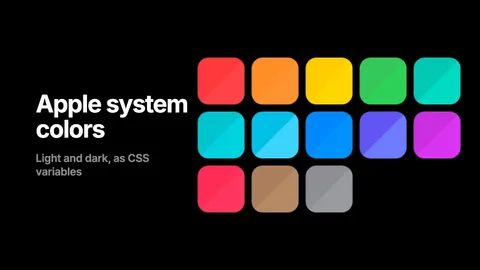
Apple system colors in CSS, with the hex values
The thirteen macOS 27 and iOS 27 accents, the text levels, fills, backgrounds, grays and separators, as hex and rgba for light and dark, and as CSS custom properties that flip on their own. Copy the table or load the stylesheet.
How to get an AI agent to design like Apple on the web
Claude Code, Codex and Cursor can build macOS and iOS style interfaces on the web that follow Apple's Human Interface Guidelines. The Puppertino skill gives them the rules and the markup, in one install.